Design "Campaigns & Events" for Gaming Site
Redesign the web page to provide gaming event info.
Intro
ROG gaming brand has owned a huge profit share of ASUS. Its site not only displays gaming products but also the information of campaigns and events, which is an important part for gamers to join. However, the site doesn't provide a good user experience that easy to make users get lost.
Methods: UX Auditing(GA, Persona, CJM, Heuristics evaluation), Competitive analysis, Wireframe design
My role: Lead UX designer and researcher
Team: 2 UX designers, 1 UX manager
Duration: 2 months, 2021
Redesign ROG site to make the information of events better to search
I conducted UX auditing of the ROG site, and 21 UX problems are listed out. One of the main problems is the categories in the navigation bar aren't clearly separated, especially the "What's hot" category listing all event names out, making it look messy. Therefore, I redesigned the "Campaigns & Events" function with creating an event landing page for users to better search for the events they're interested in.
My deliverables in this project:
- Generate UX auditing report
- Design 2 wireframes and present to ROG PM

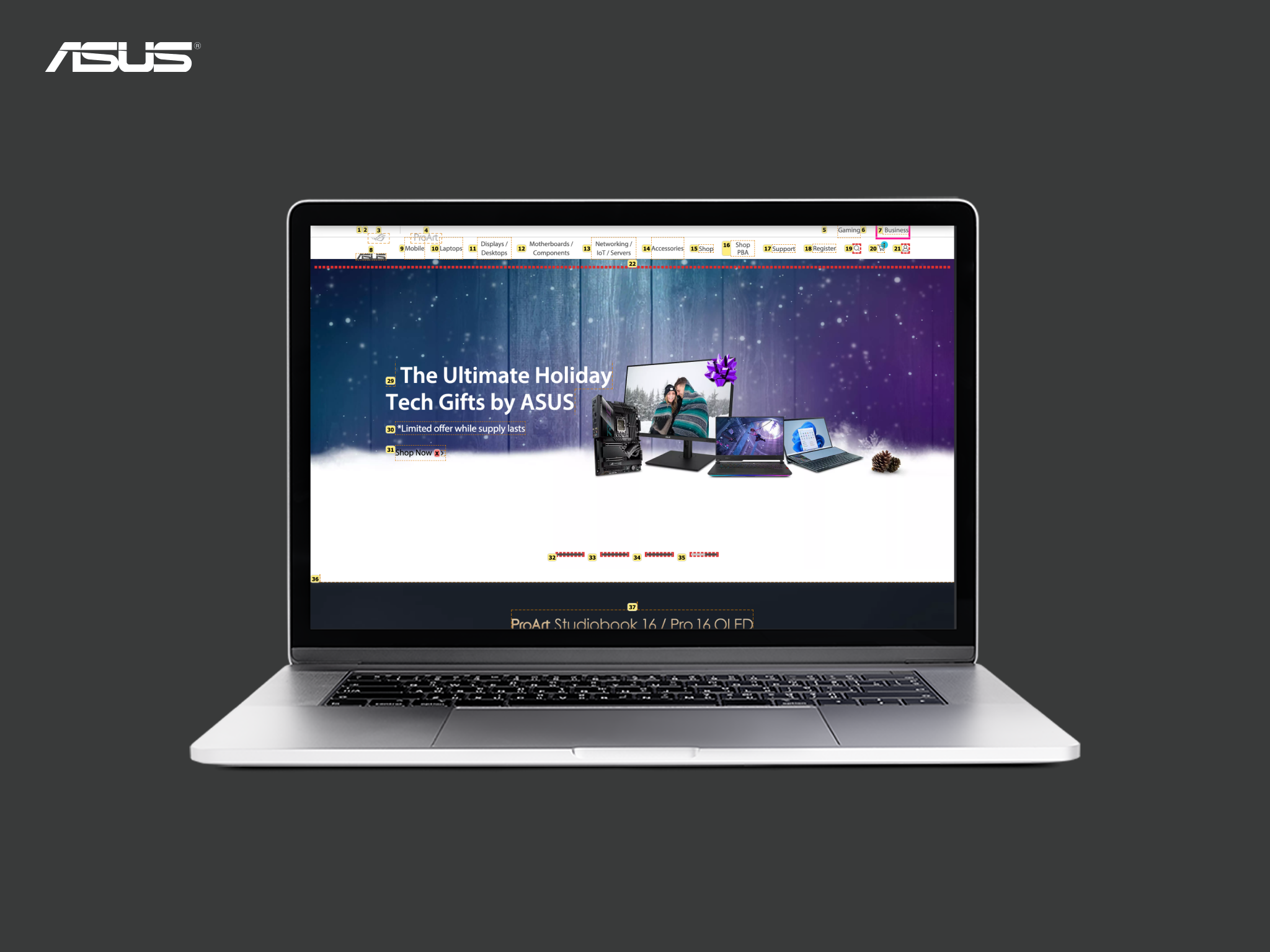
"What's hot" dropdown menu list all event names out, making users hard to identify what's about or which one they're interested in just based on the name.
Starting from auditing current site to establish basic knowledge for our team
Before, ROG site was designed by other team, but it has become our team's project since 2021. However, ROG has its own visual style, information, products that are totally different from consumer site. Therefore, to help our team members get familiar with the ROG site with the same understanding level, I conducted a UX auditing of the ROG site, analysing the site from the designer's perspective. In the end, I delivered a report including three main parts: GA analytics, target customers and heuristic evaluation.
01 Analyze Google statistics to find out user behavior patterns
I looked up GA of ROG site in USA, Italy, Global and India site, comparing them four together to find out their user types and behovior differences. For instance, since Italy site has developed the most complete e-commerce service, users are more likely to search for product info and order online.

02 Empathize gamers from research and stakeholders
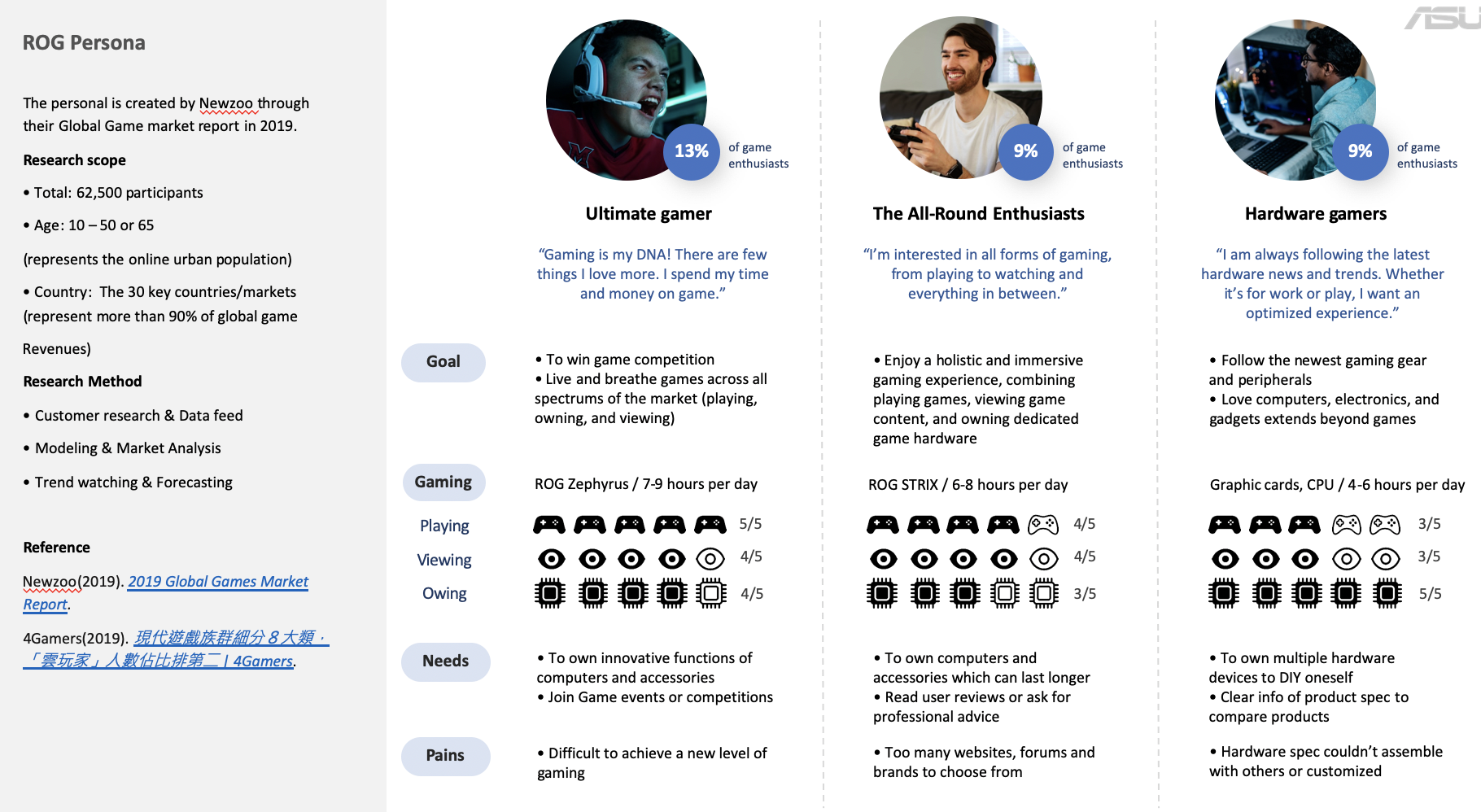
Based on insights from stakeholders and gamer types categorized b Newzoo Global Games Market Report 2019, ROG persona type could be divided into three, including ultimate gamer, all-round enthusiasts, and hardware gamers. Regarding ultimate gamer, which is the main type ROG user, is active joining game events or competitions with the need of high quality gaming equipments.
Next, I created a user journey of the Ultimate gamer user searching on the current ROG site to find out the frustrations and problems that existed.
At the loyalty stage, it's difficult to search for the latest event or product information, which is essential for ROG to maintain the long-term relationship with customers.

03 Heuristics evaluation to find out 24 usability problems
I found out in total 24 usability issues based on Jakob Nielsen's 10 principles, and provided a problem statement, severity, and design suggestions for each issue.

Scoping down to what we could redesign first
Since we had limits of time and resources, we had to prioritise which tasks to implement first. After discussing with Product manager, we scope down to "What' hot" function on top menu, which collects all the events together in the dropdown menu, making it impossible to view or filter all the events at once. As such, locating specific events within a lengthy and unorganized list can be an overwhelming task, forcing users to expend undue time and energy carefully scanning through the event name to pinpoint the exact information they need. However, it's a critical function for ROG to attract more gamers to actually join and grow connection with them. Besides, ASUS consumer site and Business site are also planning to redesign event page, which should apply consistent design layout.
With the reasons above, we decided to redesign the "Campaigns & Events page" first.

All competitors provide an independent event landing page
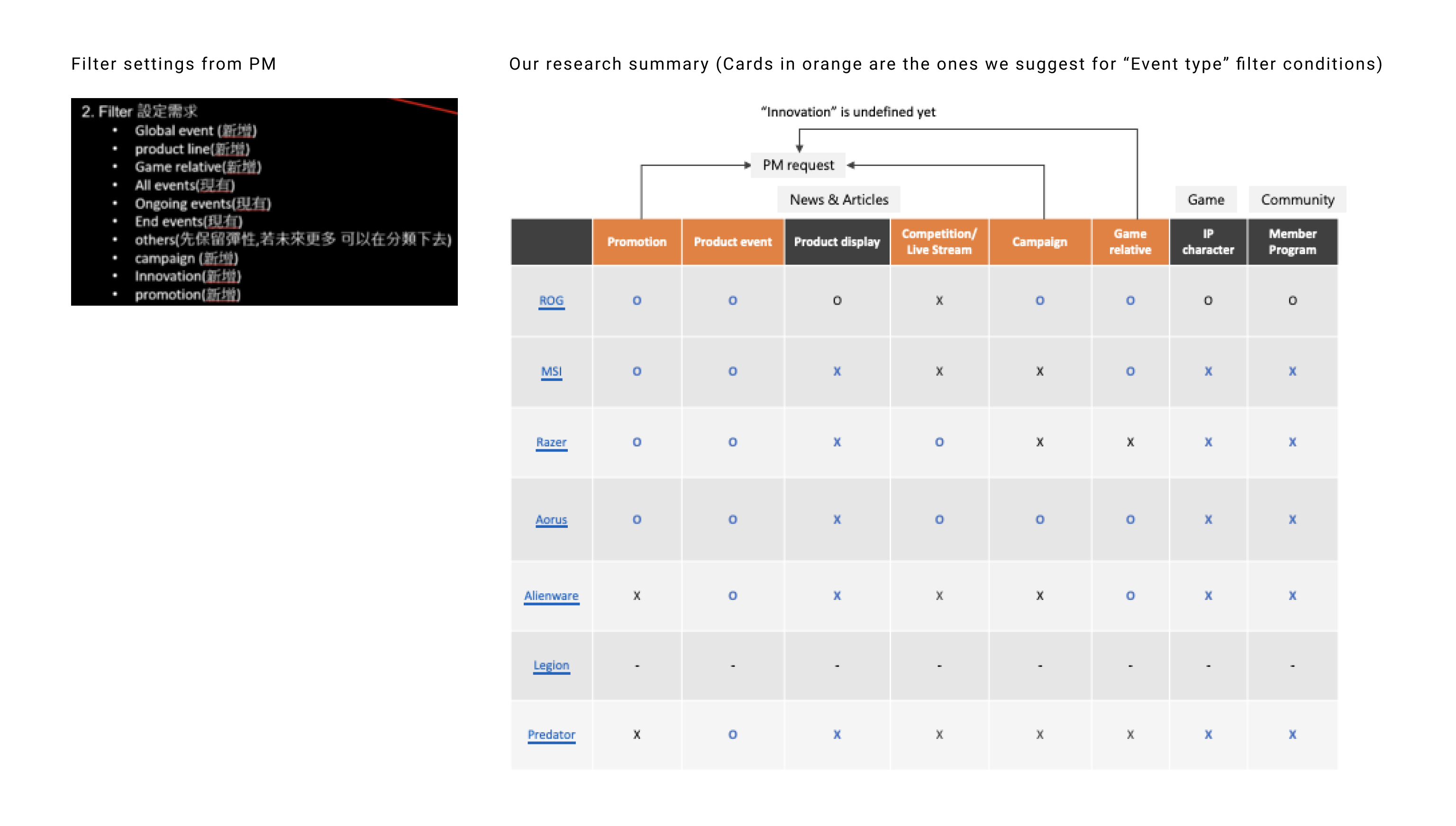
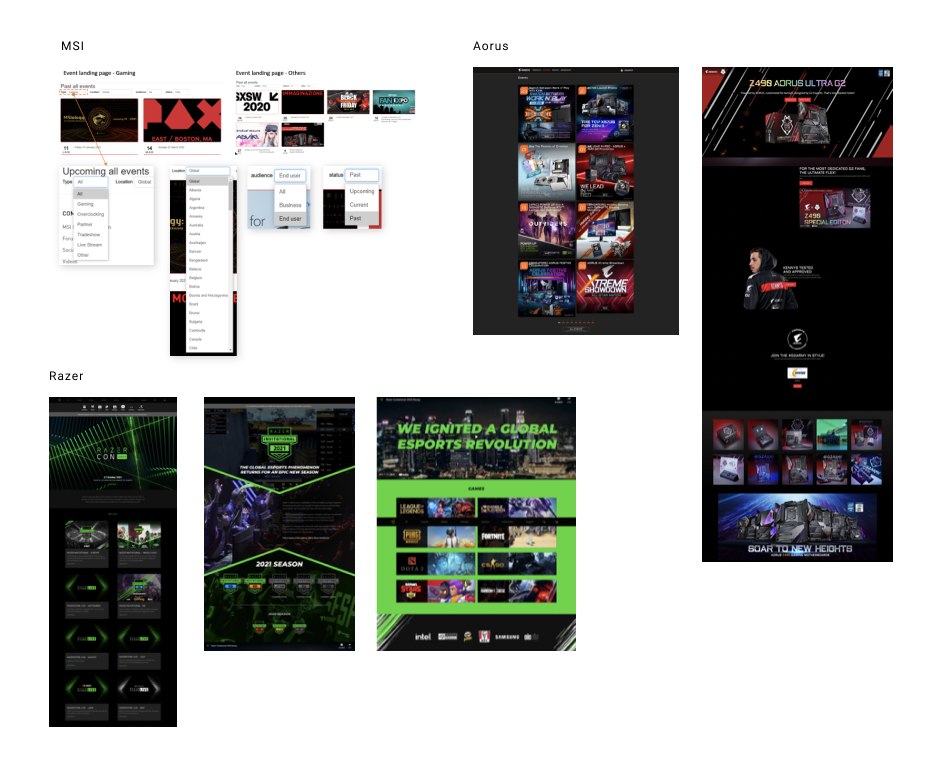
We compared ROG's current design with other gaming sites, including MSI, Razer, Aorus, Alienware, Legion, and Predator, findings are listed below in three categories:
Event entrance
- The entrances are mostly from the top menu.
- There’s an independent event landing page for every site except for ROG, showing all events in card view.
- For Alienware and Legion, users need to go four steps to reach a single event page, which is a bit more complicated and not easy to find.
Event landing page
- Most event landing pages apply the same site structure as the original one.
- Only MSI provides a filter by event type, time, country and audience type.
- Only Razer provides a banner on top for the highlighted events.
- Most competitors display events in card view on one page. Only Aorus provides pagination.
Event article page
- For general events (eg. promotion, campaign, game relative, product event), content includes an introduction, video, event giveaways, event highlights, products, and related events.
- For Competition/Live Stream, content includes an introduction, video, season, show match, donations, prize, games, and related gears/products.
3 ways to design our own event page
01 Rearrange top menu items
Since we would like to create an event landing page as well, we need to rearrange the top menu items to make the content clearly separated. To make “Campaigns & Events” a subcategory under “What’s hot”, we also move “News & Articles” which is originally under "Community" category to “What’s hot”. In so doing, items under "Community" could remain the ones which are related to member programs, forums, etc.

02 Create an event landing page with a filter to search
After clicking on "Campaigns & Events" on dropdown, it will direct to event landing page, showing all event cards. In so doing, user could filter out the events one's interested in and able to view all event cards at once.
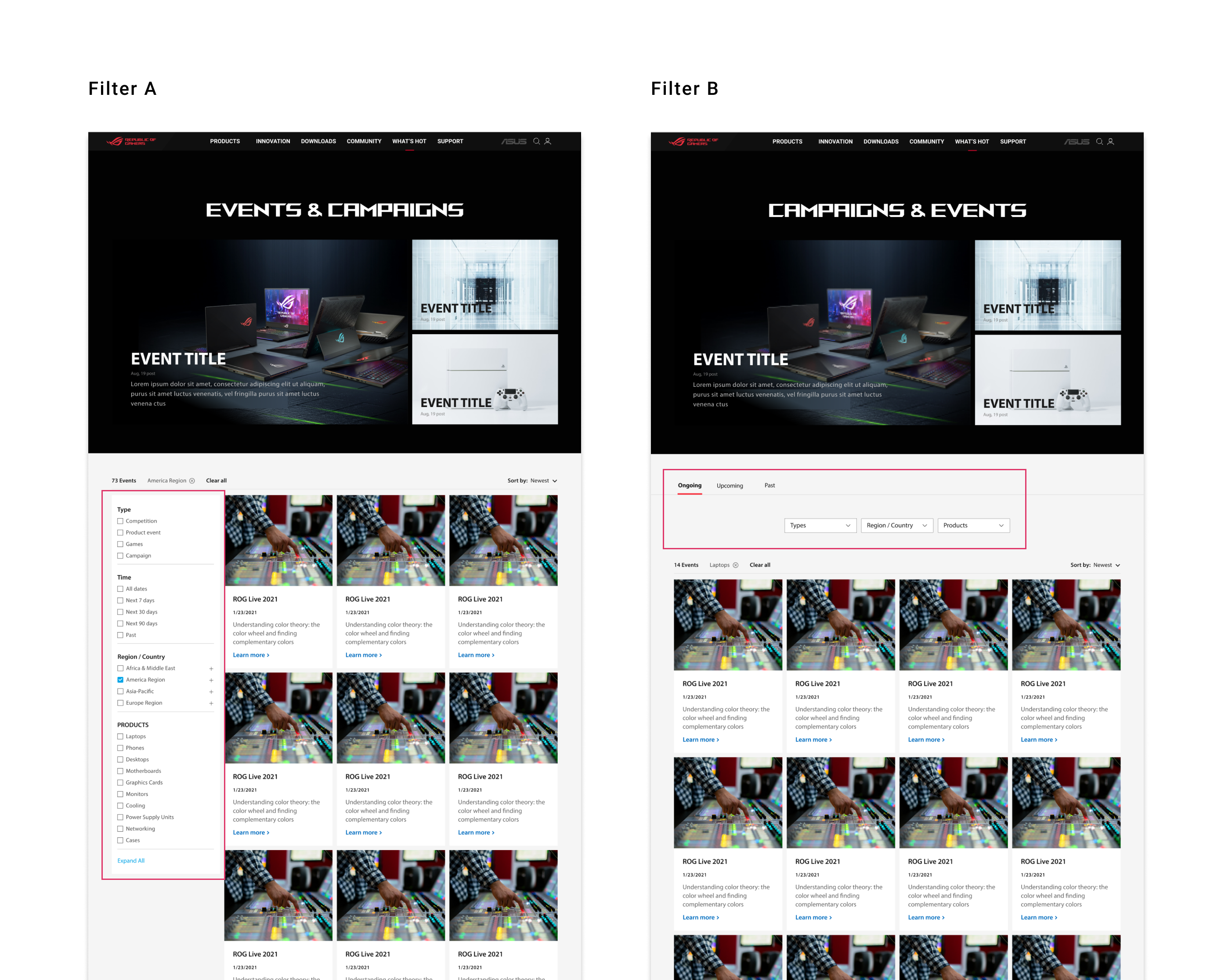
Regarding the filter view type, we choose B, which integrates tab and dropdown together. Since there're not that many filter conditions for event types, dropdown view is more intuitive; instead, checkbox view is more appropriate for product specs. On top of that, "Time" is the most essential factor for users to filter out the events firstly, so we decided to create a tab with "Ongoing" as default, "Upcoming" and "Past".
03 Create modules for event article page to enhance developing process
For the event article page, we provide multiple content modules which are most commonly seen, so that locals could choose which model to use for the event. Modules include video, introduction, season, prize, event highlights, games, products, and related events.

Deliver design to stakeholders, connect with business needs
We arranged a meeting with ROG product manager and the product marketing manager to present our design and discuss the business needs. For instance, regarding filter conditions on event landing page, PM had proposed the filter settings first. However, we provides different suggestions based on our research to categorize different filter types, put "Ongoing" events first and clarify the event types. At last, they had agreed with our design, moving forward to discuss developing and implementing details. ✅