Accessibility Design & Testing System
Create accessibility design practices & guidelines for ASUS websites.
Intro
ASUS was facing web accessibility lawsuit for not meeting WCAG AA standards. Hence, this goal of this project is to understand and deliver accessibility design guidelines for the designers, and implement the accessible components and structures for all ASUS websites.
My role: UX designer
Team: 2 UX designers, Front-end Dev Team, Marketing Team
Timeline: 5 months, 2021
Problem: ASUS websites perform terrible accessibility experience
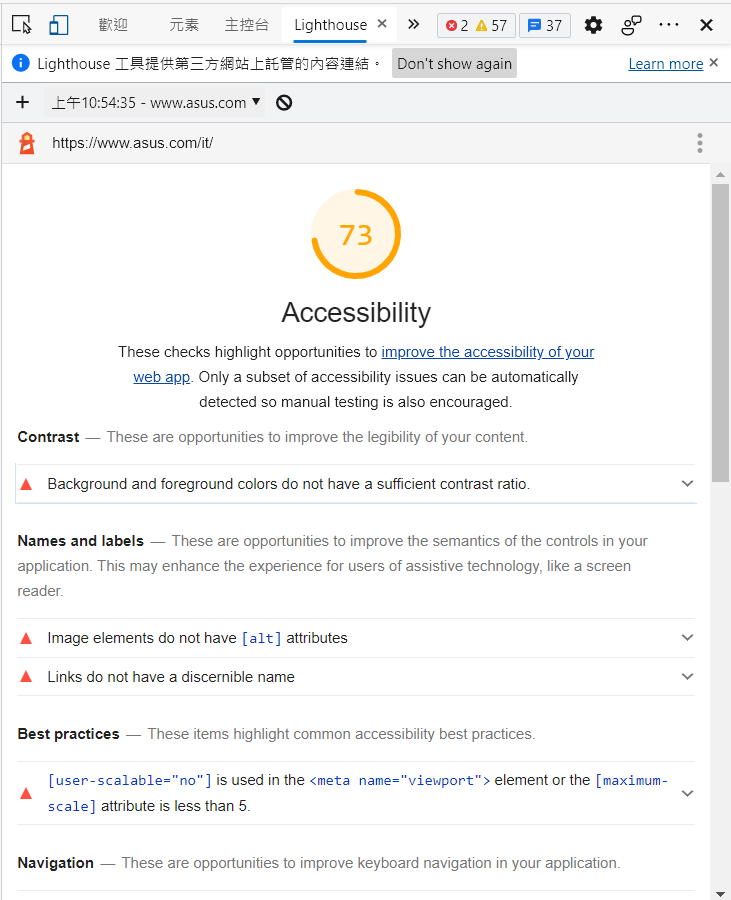
Accessibility is no doubt the essential value that has gained a lot of attention recently. However, for current ASUS websites, it's only 73 score based on Lighthouse, which is the accessibility auto testing tool published by Google. As a result, some of the disabilities would encounter obstacles while using our websites.
Outcome: We built up the accessibility system from scratch
To make ASUS websites inclusive to every kinds of users, we have started to implement accessibility system in practice. As the designers, I studied accessibility practices to support construct the accessibility design system in our department. Besides, we closely collaborated with developers to implement the accessibility web-based elements, and also reviewed the alt text for marketing team.
Our 3 main achievements in 5 months
1. Create complete accessibility design guidelines to follow for designers, developers, and marketing
2. Conducted accessibility training and alt text review for marketing team
3. Built up accessibility evaluation procedure in our team
Setting our milestones and scope first
Our goal is to make our all websites conform to WCAG 2.1 A,AA level in three devices types and both ios & windows system, which is definitely a long path to progress. Therefore, we set up a goal to make our websites inclusive in 2 years. First of all, we need to create guidelines and provide training for our team members in first half year. At that time, almost no one had the basic knowledge of accessibility. After that, we could start adjust the current design and conduct accessibility testing for every pages.

Structure the content of guidelines
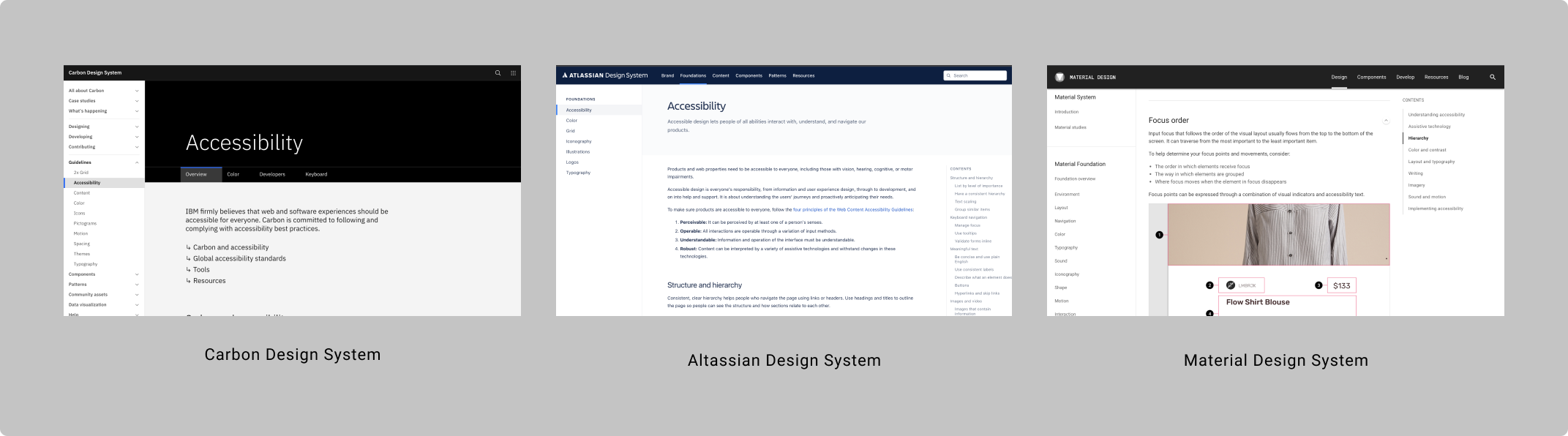
To gain a basic understanding on how to write accessibility guidelines, I studied WCAG 2.1 guidelines and many design systems from mature companies, such as Apple, Google, Atlassian, IBM, etc. WCAG 2.1 is the most detailed guidelines which provides disciplines, practices of how to meet the criteria, and also the success and failure examples. On the other side, design systems from companies often provide more design practices on actual websites or APP, addressing different parts in accessibility. For instance, Mailchimp Content Style Guide focus more on writing.
After went through all the guidelines, we defined our guidelines' content as...
1. Keyboard Navigation (Structure and hierarchy, Keyboard accessible, Focus)
2. Text (Resize text, Writing, Language)
3. Components (Button control, Dialog/Overlay, Carousel, Slider, Form, Table, List, Link)
4. Imagery
5. Color &. Contrast
6. Interaction (Pointer)
7. Multimedia (Audio, Video, Motion, Time control)
8. Developer (Semantic HTML, ARIA, CSS)
9. Document (PDF, Word)
Create accessibility guidelines and checklist
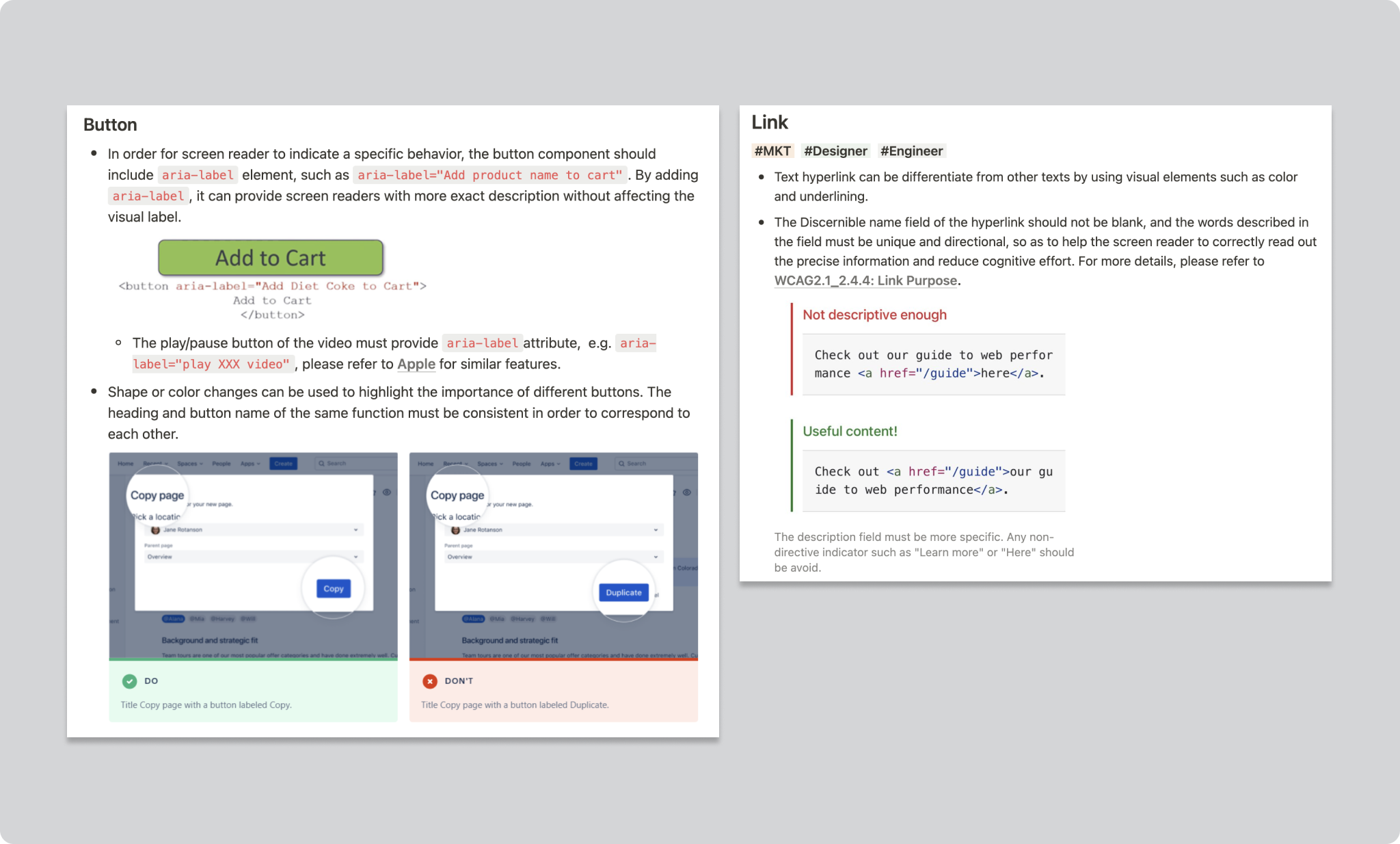
Provide Dos & Don'ts examples to make it easier to understand
Under each principles, we provide Dos and Don'ts examples to show how it's implemented in real websites or elements. Besides, we also provide coding practices for developers to take as a reference and integrate back to their works.
Checklists for different roles to review quickly
Providing a checklist could support the role to easily check if every principle is conformed. As a result, we created a checklist highlighting those require manual testing based on our current guidelines for 3 different roles, including marketing, designer, and developer; thus, each role could just go through their part quickly instead of searching from guidelines with lengthy information while testing accessibility of the page.
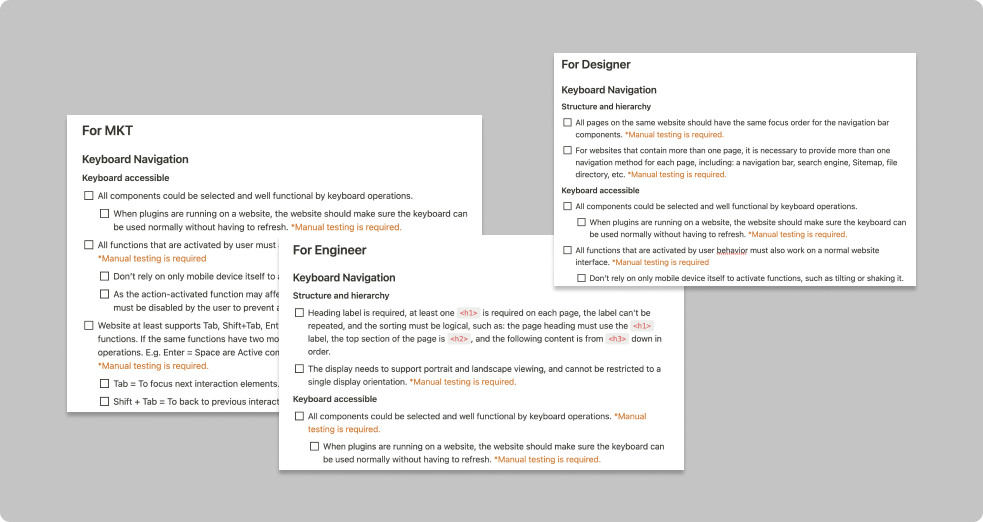
Collaborating with designers, marketing and developers
Adjust Color & Contrast in our design system with designers
To meet the criteria of color and contrast, we adjusted the text and background colors in our current design system.

Conducted training and alt text review for marketing
Marketing team has to provide description for links, buttons, alt text for images, audio transcripts and video captions, etc. Therefore, we conducted a training lesson for them to focus more on how to write a good text and what kind of elements require. Furthermore, we clarified all the element types (image, button, video, audio, motion) and writing methods as the reference. Lastly, we helped reviewed the accessibility text.

Evaluate web-based elements with developers
We built up our own accessibility evaluation procedure with three steps based on WCAG. After developers finish a page, we conduct accessibility evaluation, including both auto testing tools and manual testing by keyboard to make sure all elements are accessible. If issues are found, we report back to developers to adjust them.
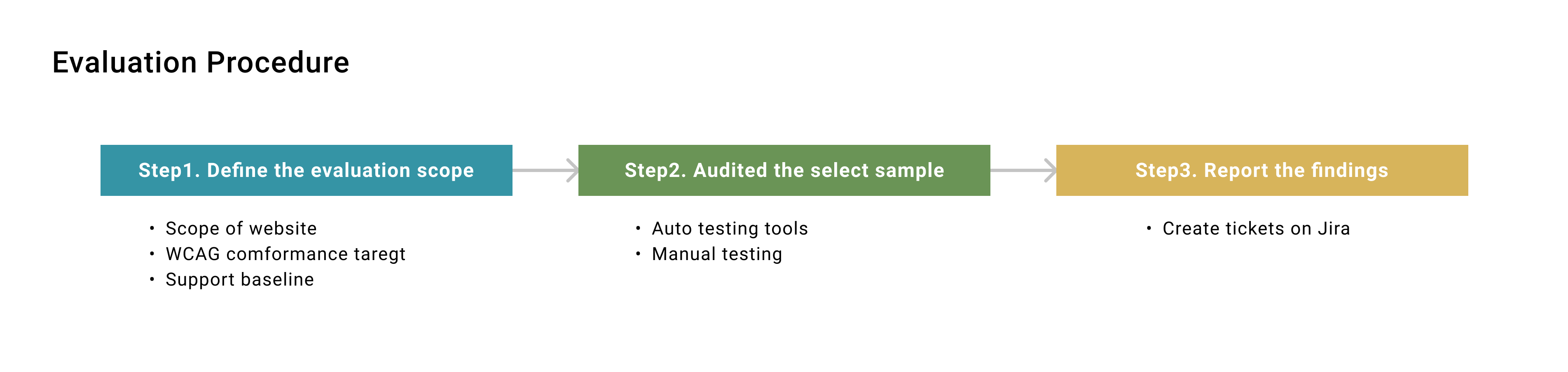
What's continuing as a team...
Accessibility is never simple enough to be done. In fact, auto testing tools could only cover 20% issues; most items require manual testing which cost plenty of time. Moreover, the present auto testing tools could test for once and then export the result. To keep monitoring our accessibility performance, it's necessary to have a platform to maintain all the records and enable to test different screen sizes.
1. Purchase a more efficient monitoring system
2. Set up an independent team to account for accessibility testing
3. Updated guidelines regularly to meet WCAG conformance level
My key learnings
I never expect myself to be an "Accessibility expert", but through out this project, I've learned so much of accessibility web design, assistive technology, and even a variety of disabilities. To really empathise the users, I always use keyboard and screen reader to interact with the web to find out the problems, which is definitely a brand new experience for me. The other key learning is to collaborate with developers, I have to study coding as well to provide solutions for them to fix accessibility issues. Nevertheless, I would keep all these principles in mind to make sure my future design is accessible every one!
Besides, I wrote down Accessibility Rookies guides
To make our UX designers quickly familiar with accessibility testing and all the works we have done, I wrote a Rookies guides, which not only includes all the online materials and resources, but also the procedure how to evaluate the web-based elements for developers and marketing team, which is considered to be super helpful for our team!